> ## Documentation Index
> Fetch the complete documentation index at: https://docs-staging-chore-myaccount-api-autoupdate.mintlify.site/llms.txt
> Use this file to discover all available pages before exploring further.

> Learn how to configure your JWT Connection to sign, verify or decode JSON Web Tokens.

# JWT Vault Connection

## Configure your JWT Vault connection

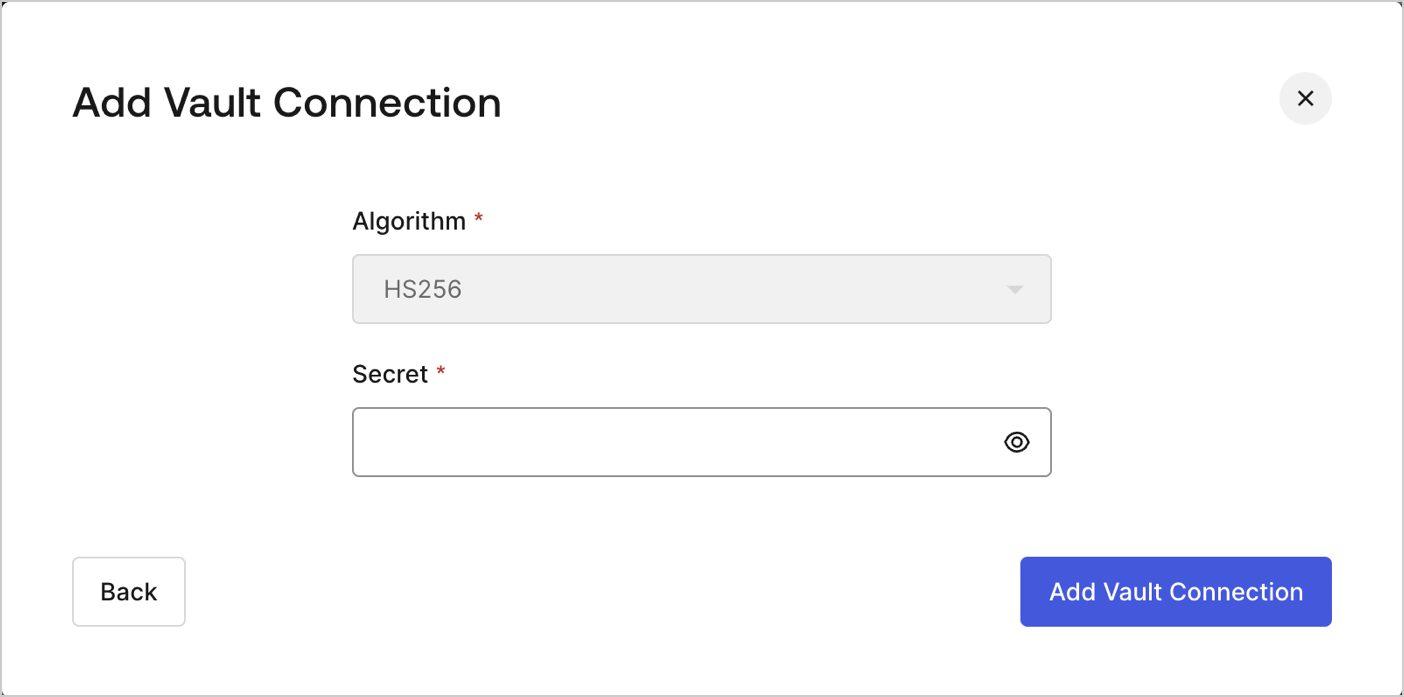
To configure an JWT Vault Connection for your Flows JWT Actions to sign, decode, and verify JSON Web Tokens, you need to set the required parameters.
<Frame>
  <img src="https://mintcdn.com/docs-staging-chore-myaccount-api-autoupdate/1Z1q5NiJbrI0viLT/docs/images/customize/forms/vaults/jwt-vault-connection.png?fit=max&auto=format&n=1Z1q5NiJbrI0viLT&q=85&s=e925081072dc05a06446bb48f471a90d" alt="Dashboard > Actions > Forms > Vault > JWT" data-og-width="1404" width="1404" data-og-height="697" height="697" data-path="docs/images/customize/forms/vaults/jwt-vault-connection.png" data-optimize="true" data-opv="3" srcset="https://mintcdn.com/docs-staging-chore-myaccount-api-autoupdate/1Z1q5NiJbrI0viLT/docs/images/customize/forms/vaults/jwt-vault-connection.png?w=280&fit=max&auto=format&n=1Z1q5NiJbrI0viLT&q=85&s=092ec250ebd976357d01ac6f2689da2c 280w, https://mintcdn.com/docs-staging-chore-myaccount-api-autoupdate/1Z1q5NiJbrI0viLT/docs/images/customize/forms/vaults/jwt-vault-connection.png?w=560&fit=max&auto=format&n=1Z1q5NiJbrI0viLT&q=85&s=c53c13e11e8111f6af4c2c01a61d1c2a 560w, https://mintcdn.com/docs-staging-chore-myaccount-api-autoupdate/1Z1q5NiJbrI0viLT/docs/images/customize/forms/vaults/jwt-vault-connection.png?w=840&fit=max&auto=format&n=1Z1q5NiJbrI0viLT&q=85&s=951af2c43fe1a3a2c4a3c1a1d58f0055 840w, https://mintcdn.com/docs-staging-chore-myaccount-api-autoupdate/1Z1q5NiJbrI0viLT/docs/images/customize/forms/vaults/jwt-vault-connection.png?w=1100&fit=max&auto=format&n=1Z1q5NiJbrI0viLT&q=85&s=4ceb5debfba67cd2402c146e4be05d49 1100w, https://mintcdn.com/docs-staging-chore-myaccount-api-autoupdate/1Z1q5NiJbrI0viLT/docs/images/customize/forms/vaults/jwt-vault-connection.png?w=1650&fit=max&auto=format&n=1Z1q5NiJbrI0viLT&q=85&s=0edeb89e6bd748419825b8cbe6131ae9 1650w, https://mintcdn.com/docs-staging-chore-myaccount-api-autoupdate/1Z1q5NiJbrI0viLT/docs/images/customize/forms/vaults/jwt-vault-connection.png?w=2500&fit=max&auto=format&n=1Z1q5NiJbrI0viLT&q=85&s=e1029304abfe555a1d2e11b4e9765bfc 2500w" />
</Frame>

## Input settings

| Parameter | Description                                                 |
| --------- | ----------------------------------------------------------- |
| Secret    | Secret to be used in the HS256 algorithm to encode the JWT. |
