> ## Documentation Index
> Fetch the complete documentation index at: https://docs-staging-chore-myaccount-api-autoupdate.mintlify.site/llms.txt
> Use this file to discover all available pages before exploring further.

> Découvrez comment configurer votre connexion Vault WhatsApp pour envoyer des messages sur WhatsApp.

# connexion Vault WhatsApp

<h2 id="get-your-whatsapp-token">
  Obtenez votre jeton WhatsApp
</h2>

Découvrez comment générer un jeton sur [WhatsApp](https://developers.facebook.com/blog/post/2022/12/05/auth-tokens/).

<h2 id="configure-your-whatsapp-vault-connection">
  Configurer votre connexion Vault WhatsApp
</h2>

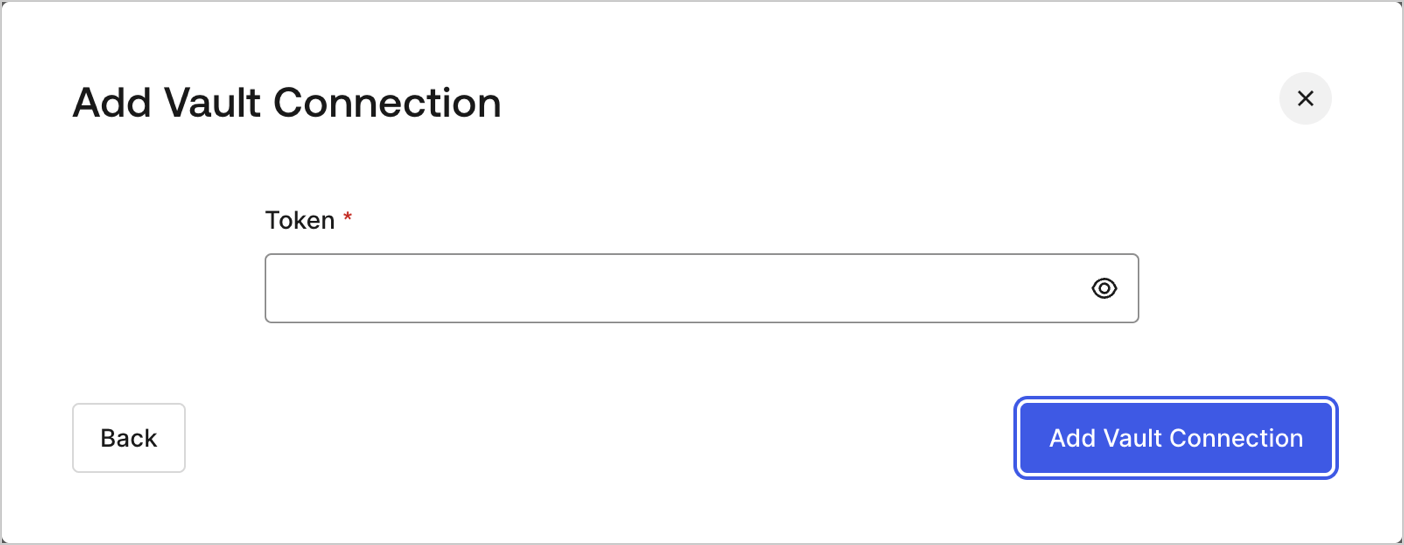
Pour configurer une connexion Vault WhatsApp pour vos actions de Flow WhatsApp, vous devez définir les paramètres requis.
<Frame>
  <img src="https://mintcdn.com/docs-staging-chore-myaccount-api-autoupdate/1Z1q5NiJbrI0viLT/docs/images/customize/forms/vaults/whatsapp-vault-connection.png?fit=max&auto=format&n=1Z1q5NiJbrI0viLT&q=85&s=a54259e5c73e4778df2d4f31731cc438" alt="Dashboard > Actions > Forms > Vault > WhatsApp" data-og-width="1404" width="1404" data-og-height="545" height="545" data-path="docs/images/customize/forms/vaults/whatsapp-vault-connection.png" data-optimize="true" data-opv="3" srcset="https://mintcdn.com/docs-staging-chore-myaccount-api-autoupdate/1Z1q5NiJbrI0viLT/docs/images/customize/forms/vaults/whatsapp-vault-connection.png?w=280&fit=max&auto=format&n=1Z1q5NiJbrI0viLT&q=85&s=f422482877480abe4868f4bf9dbb9dfa 280w, https://mintcdn.com/docs-staging-chore-myaccount-api-autoupdate/1Z1q5NiJbrI0viLT/docs/images/customize/forms/vaults/whatsapp-vault-connection.png?w=560&fit=max&auto=format&n=1Z1q5NiJbrI0viLT&q=85&s=0770aee48c7ae22591f7cc937b7e0ca5 560w, https://mintcdn.com/docs-staging-chore-myaccount-api-autoupdate/1Z1q5NiJbrI0viLT/docs/images/customize/forms/vaults/whatsapp-vault-connection.png?w=840&fit=max&auto=format&n=1Z1q5NiJbrI0viLT&q=85&s=50cee10e01036146e48df91ce930fdb3 840w, https://mintcdn.com/docs-staging-chore-myaccount-api-autoupdate/1Z1q5NiJbrI0viLT/docs/images/customize/forms/vaults/whatsapp-vault-connection.png?w=1100&fit=max&auto=format&n=1Z1q5NiJbrI0viLT&q=85&s=aeb0dfd3e75c99d6f3944442fca470d4 1100w, https://mintcdn.com/docs-staging-chore-myaccount-api-autoupdate/1Z1q5NiJbrI0viLT/docs/images/customize/forms/vaults/whatsapp-vault-connection.png?w=1650&fit=max&auto=format&n=1Z1q5NiJbrI0viLT&q=85&s=2e23366d97211f774bfcd0b11a8c9642 1650w, https://mintcdn.com/docs-staging-chore-myaccount-api-autoupdate/1Z1q5NiJbrI0viLT/docs/images/customize/forms/vaults/whatsapp-vault-connection.png?w=2500&fit=max&auto=format&n=1Z1q5NiJbrI0viLT&q=85&s=a7979b2eca90adad30b528b0a6f24957 2500w" />
</Frame>

<h3 id="input-settings">
  Paramètres d'entrée
</h3>

| Paramètre | Description                                         |
| --------- | --------------------------------------------------- |
| Token     | Token généré pour l'autorisation de l'API WhatsApp. |
